How to use the Events Board
How to use the new In Game Events Board
KEYBIND
F4
Opens the Custom BCRP Portal Menu
COMMAND
/welcome
Opens the Custom BCRP Portal Menu
How to create the event
- First we’ll start by making out own event, To do this you are going to want to press F4 or do /welcome in the Chat Box to open the BCRP Menu.
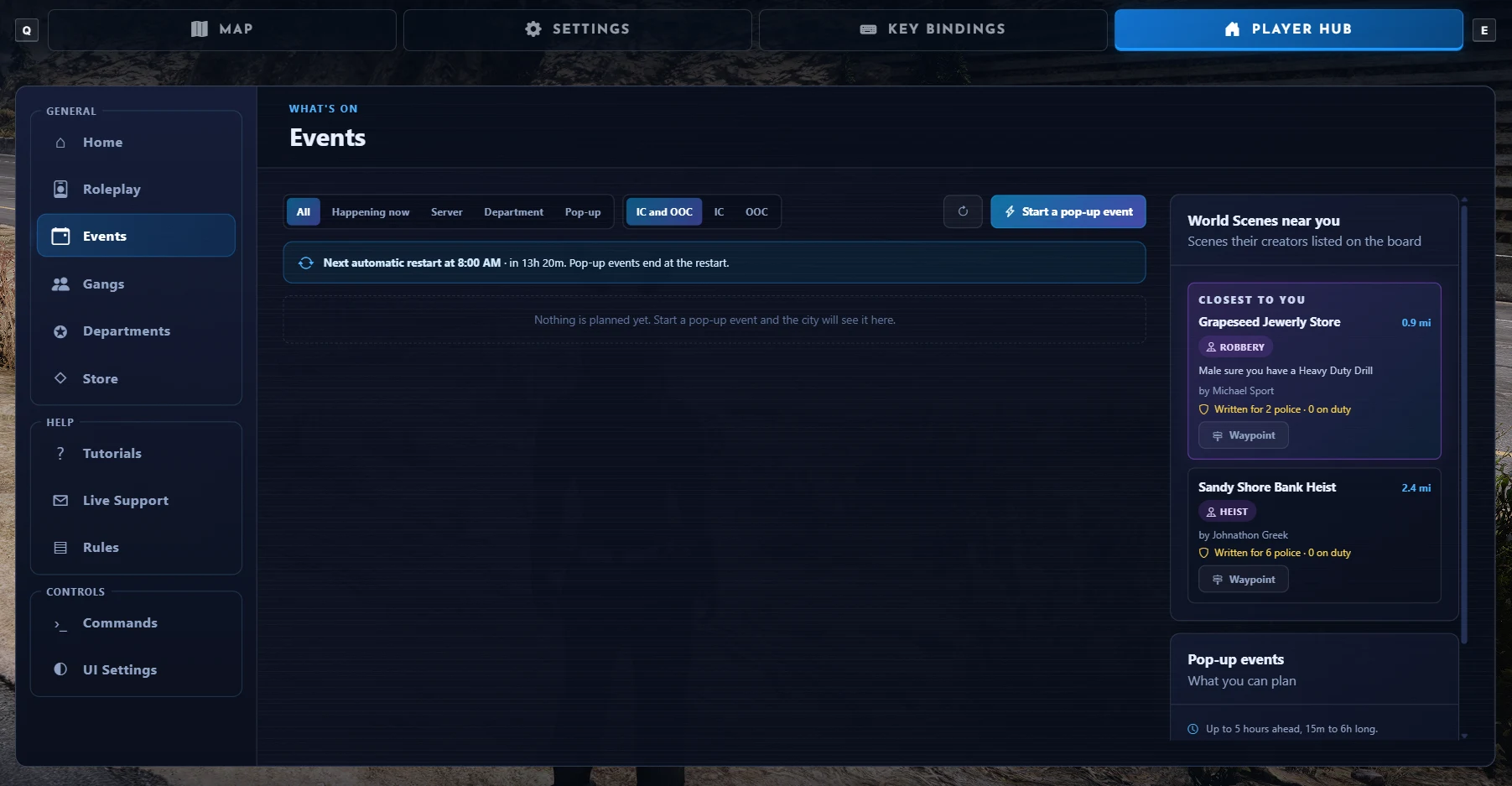
- Once we are on the Menu you will see a tab named ‘Events’ on the Left Side of your screen, Click that.
- Once you are on the Events Board this is where all in game roleplay events will pop up once created.
- So to make your own Event we want to start by Pressing the Blue “Start a Pop Up Event” button at the top right, This will open the event form that we need to fill out with all the necessary information for the event.
How to fill out the Event Form
- Title: The main title for the event most likely what the event is like ‘Car Meet at Yellow Jack’.
- What is it: The type of event it is going to be, Select it from the Drop Down Box.
- Who can join: Here you select who can join the event, You can choose from; Anyone, Civilians, Emergency Services or Invite Only.
- Roleplay: Here you can select whether the event is an in roleplay event or a out of roleplay event.
- Starts: Here you can select from two options: Right Now or Later, If you select Later it will add an extra box for a Date of the Event.
- Date: If you selected Later for the Event Time here you will select what day the Event will happened on.
- Length: Here you can choose how long the event will last, You can choose from 15 Minutes all the way up to 6 Hours.
- Where: There will be 3 options in a drop down box here; No Location, Your Waypoint or your Current Location. This will let others know where the event is happening.
- Place Name: The Name of the Place the Location is being hosted. For example: Caseys Diner.
- Tags: You can put tags here like you can when posting Youtube, Tiktok Videos etc like #CarMeet.
- Details: Any extra Details that you want to add about the event.
How to join an Event
- This is very quick and simple, If there is an event that has been created on the Board that you are interested in joining you will be able to join it by pressing the ‘Going’ Button or if you aren’t sure you can press the maybe button. You can also set a waypoint to the Host Location via the ‘Waypoint’ Button.
- You are also able to filter the events you want to see at the Top of the Events board you can filter by: Happening Now, Department, Server, Pop Up, IC & OOC (In Character & Out Of Character) IC or OOC.



Article publishing info
Created: 11/12/2026, 10:39:14 AM
Updated: 11/12/2026, 1:54:02 PM
Published: 11/12/2026, 1:54:02 PM