How to switch to the Classic GTA Pause Menu
Switching from the Custom BCRP Pause Menu to the GTA Pause Menu
COMMAND
/welcome
Will pull up the Custom Menu for Settings, Departments Etc.
How to switch Pause Menus
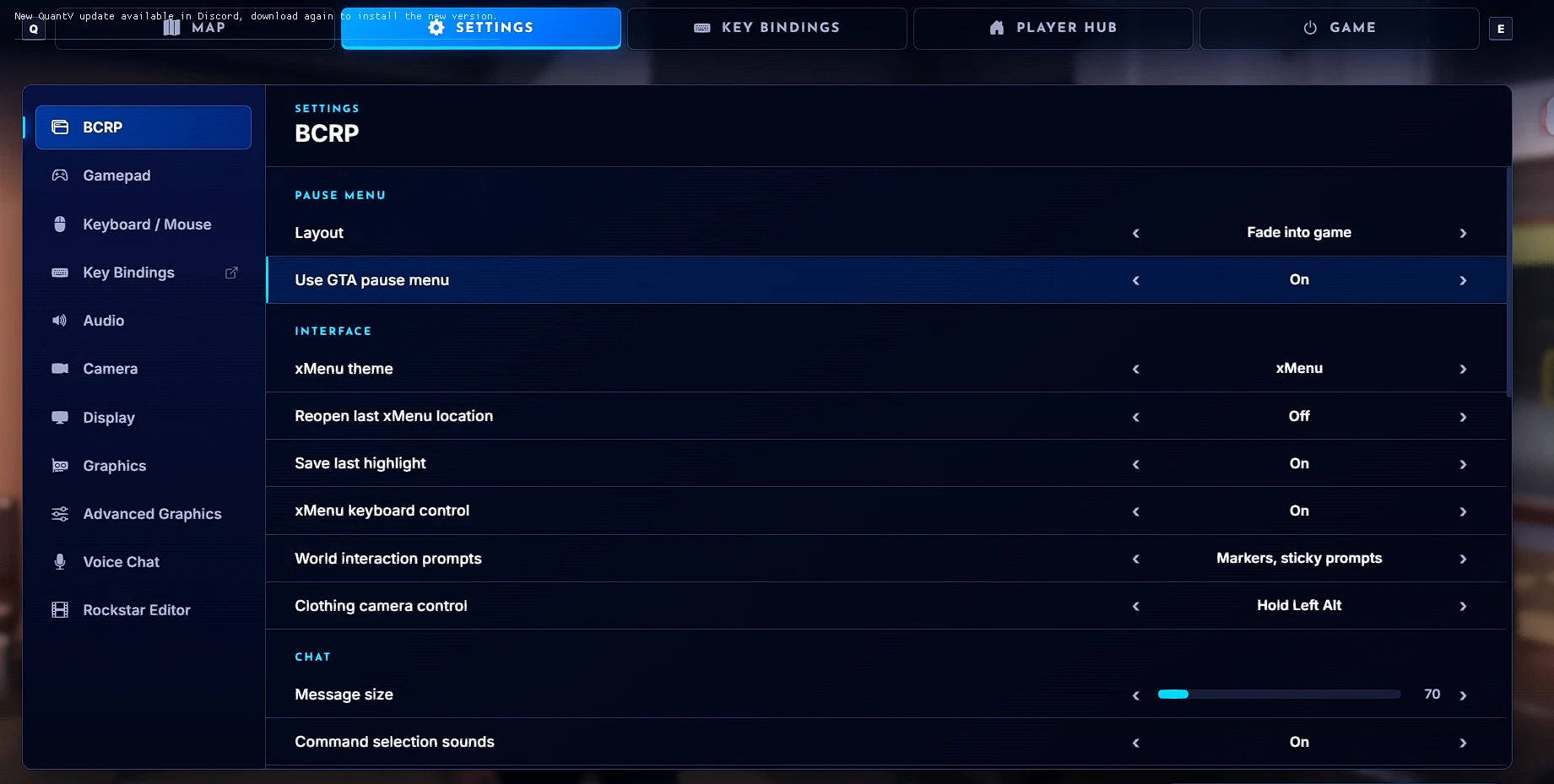
- First press F4 on your keyboard or do /welcome in chat to pull up the Custom Menu
- Second go to the Settings Tab at the Top of the Menu
- Go to the BCRP Sub Menu category in Settings
- In the BCRP Sub Category you will see a Section name “Pause Menu” the second option in that section will say “Use GTA Pause Menu” your going to want to select that to ON
- Press Escape on your keyboard and you will see the Original GTA V Pause Menu


Article publishing info
Created: 11/3/2026, 10:14:52 AM
Updated: 11/3/2026, 10:42:57 AM
Published: 11/3/2026, 10:42:57 AM