Using Bodycams in CAD
Navigate to the Body Cameras tab of CAD:
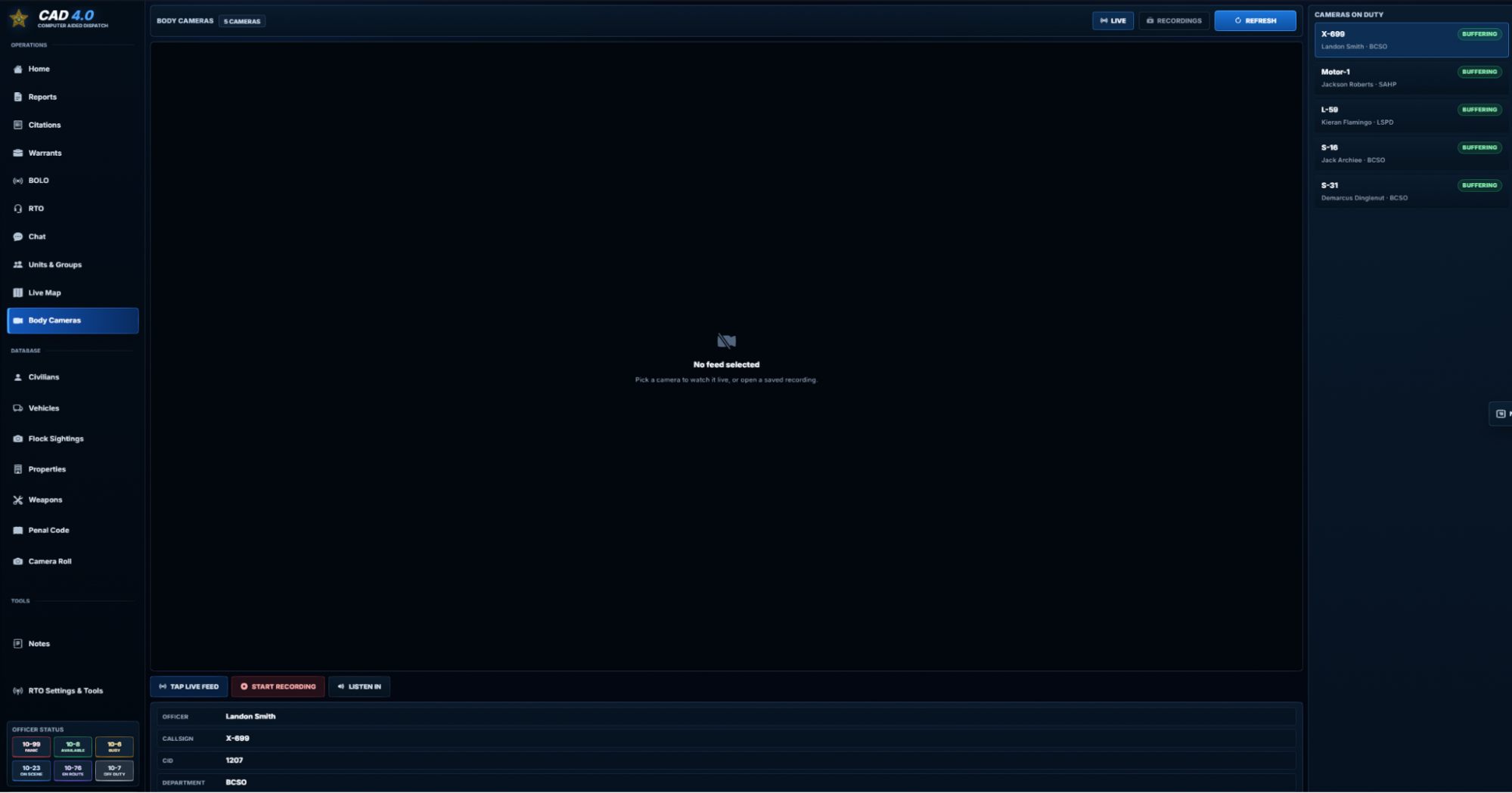
Here, you will have a few options:
- View live feed of cameras
- Review camera recordings
- Listen in on an officer’s camera
By clicking the RECORDINGS tab, you will be able to search for bodycam recordings. You can search by any of the filters available.
Note that you do not need to use all filters. The results will show up below.
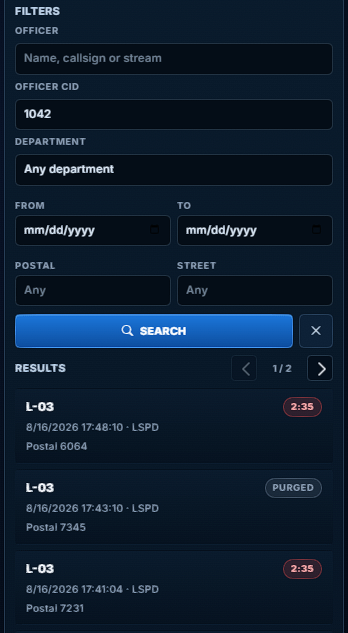
You may click a recording, and watch it in the CAD, as well as have the option to attach it to an existing report, or create a new report with it.
Next, under the LIVE tab, you may click an officer to access their bodycam. Once you’ve selected your officer, you can either start recording their bodycam footage, tap the live feed, or listen in on their camera audio with the buttons at the bottom.
Note that tapping a live feed will alert the wearer to your action

Article publishing info
Created: 10/12/2026, 2:26:27 PM
Updated: 10/14/2026, 10:16:03 PM
Published: 10/14/2026, 10:15:59 PM