Create & share
Eligible creators can build scenes with tasks, emotes, RP text, conditions, and multiple stages. Share a scene so others can place and use it.
Chapter 3 Update 1
Your stories. Your scenes. A world with more to do. Update 3.1 brings new tools for civilian and police RP, with a fresh look across the experience.
Explore the updateCHAPTER 3
UPDATE 1
Coming this Thursday
Update 3.1 is live
01 / A consistent experience
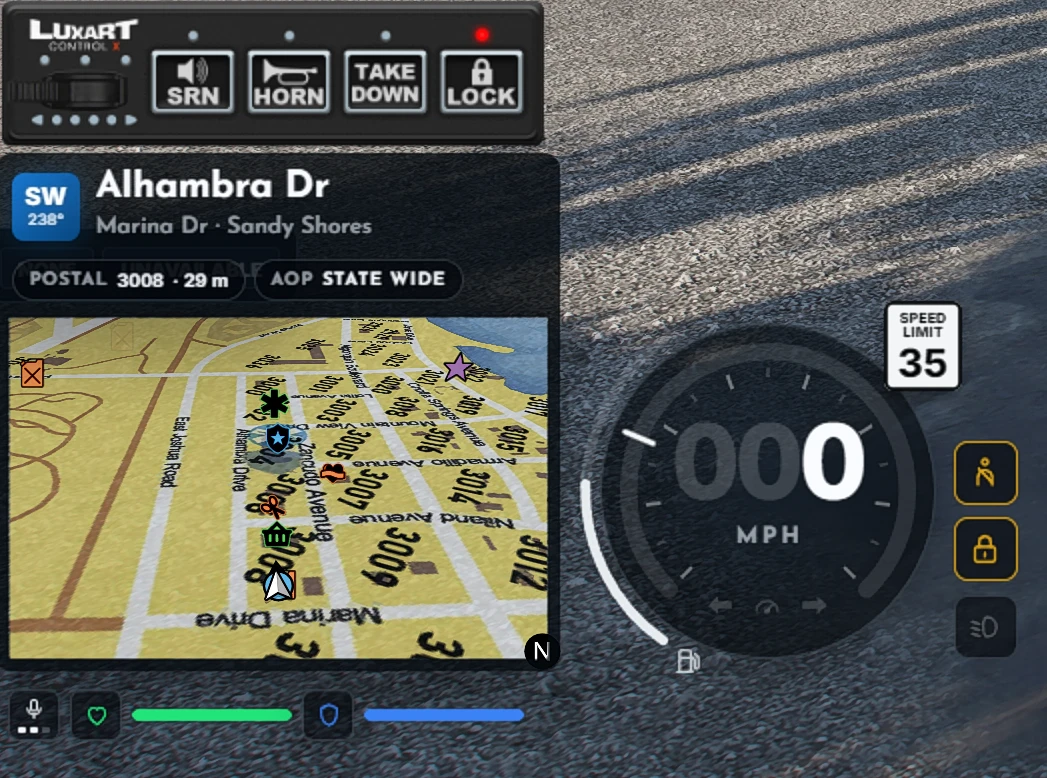
The new xHUD brings player and vehicle information into one consistent design. Your location, minimap, speed, fuel, needs, and voice status now feel like parts of the same system.
02 / Make the world your own
Create an interaction, place it in the world, and let other players become part of the story. A visual scene editor turns your RP ideas into reusable activities.
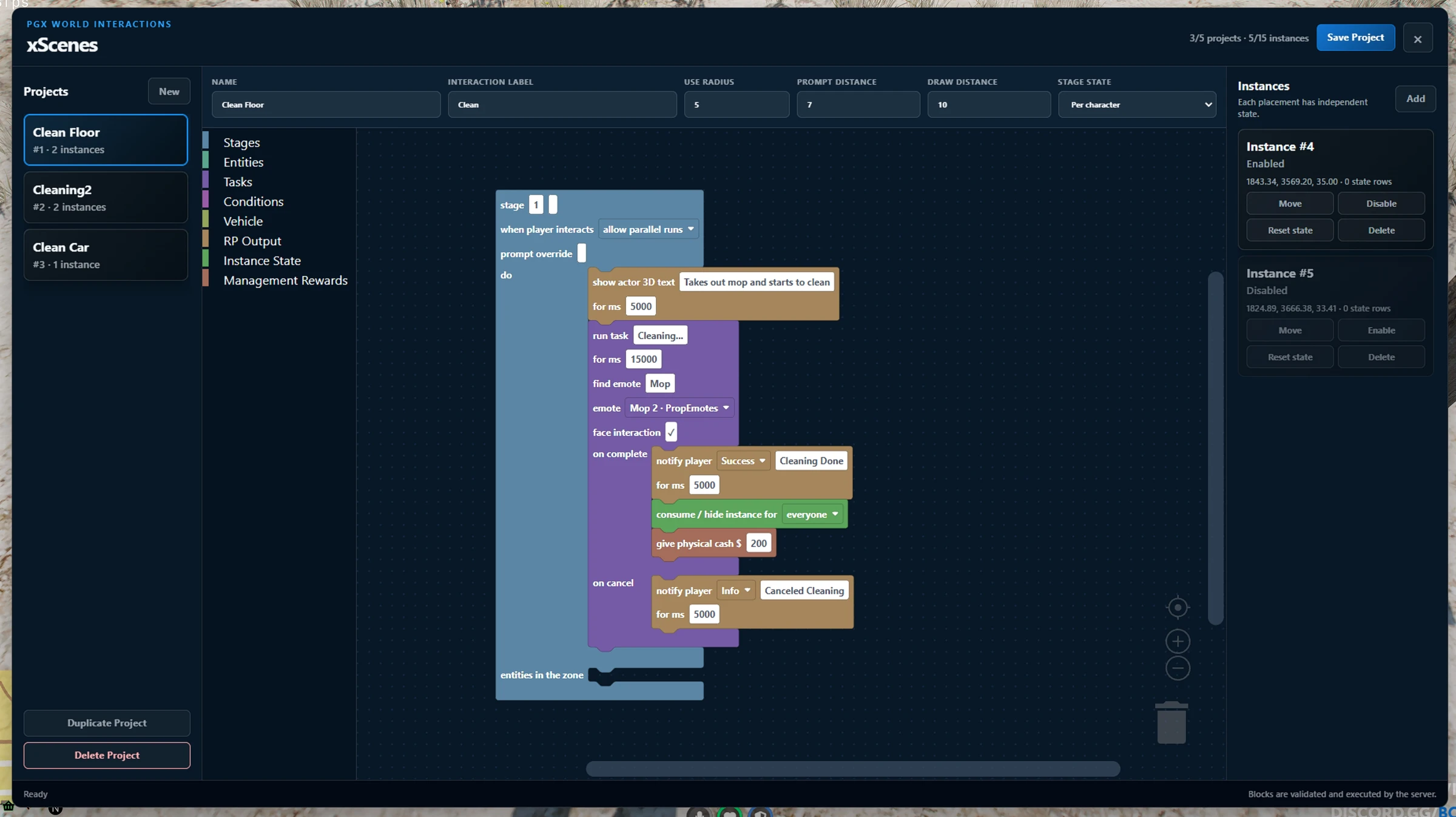
Eligible creators can build scenes with tasks, emotes, RP text, conditions, and multiple stages. Share a scene so others can place and use it.
Turn a spot on the map into a cleaning task, a vehicle interaction, or a staged RP activity. Each placement keeps its own progress.
Advanced unlocks add interiors, vehicle repair, and heist interactions such as lockpicking, hacking, and trolley grabs.
03 / Easier building
A cleaner interface and easier controls make setting up your next RP scene more straightforward.
Browse objects, favorites, projects, and placed props in a redesigned layout. Staff have a new management panel, too.
One on-screen guide explains cursor and gizmo editing. Switch tools, move your camera, and save or cancel your placement more easily.
Push a cart, store items inside, or take a seat. Eligible inventory items are visible in the cart as its contents change.
04 / Show it on screen
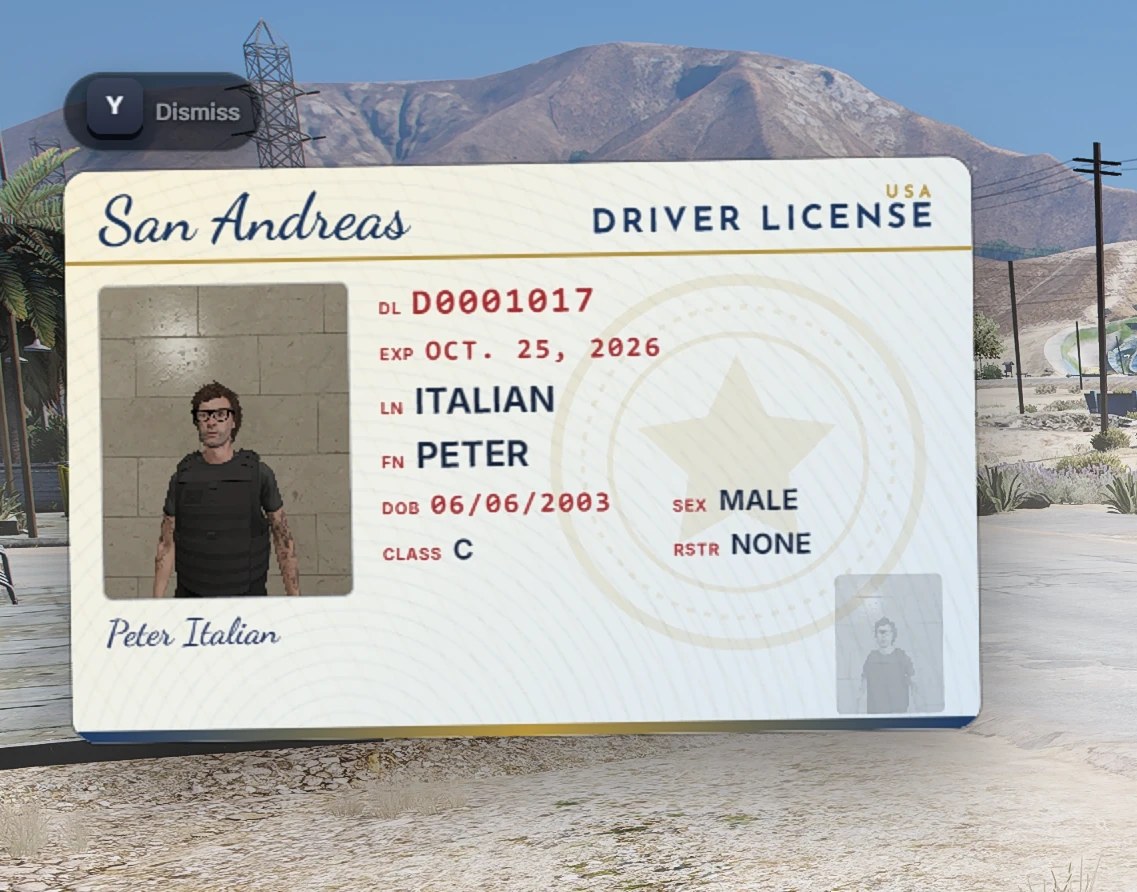
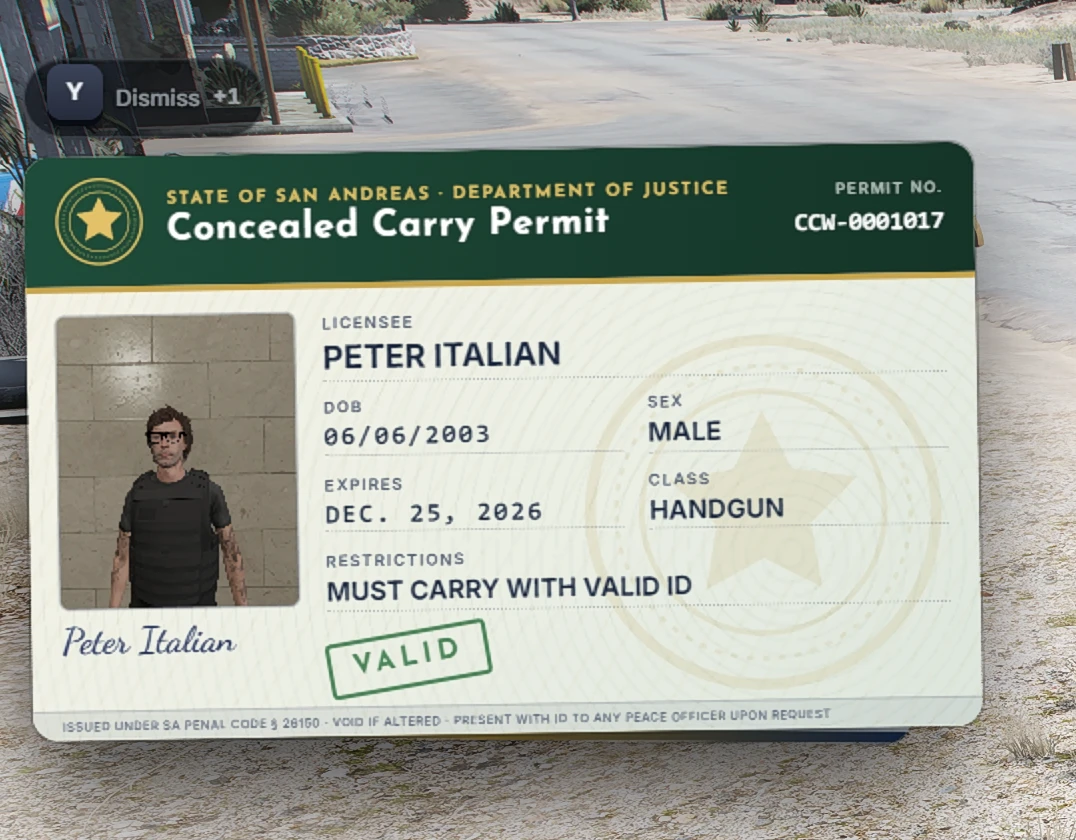
ID cards and CCW permits now appear as on-screen cards. Badges, bar licenses, vehicle registrations, plates, and VIN checks also have dedicated visual displays.
05 / More in your pocket
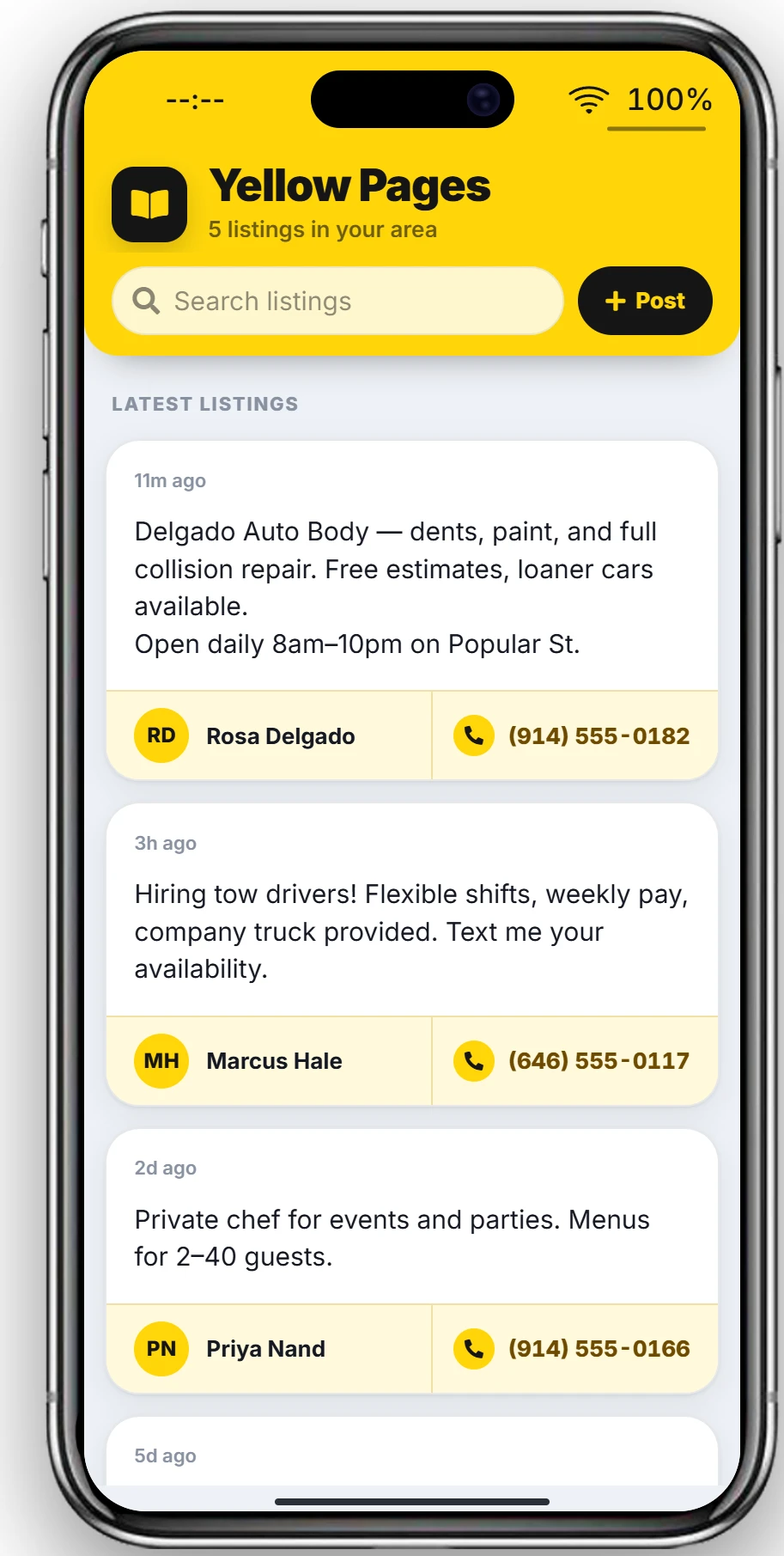
Advertise your services, find a business, or connect with someone new. Post a public listing and call, message, or save a contact straight from their number.
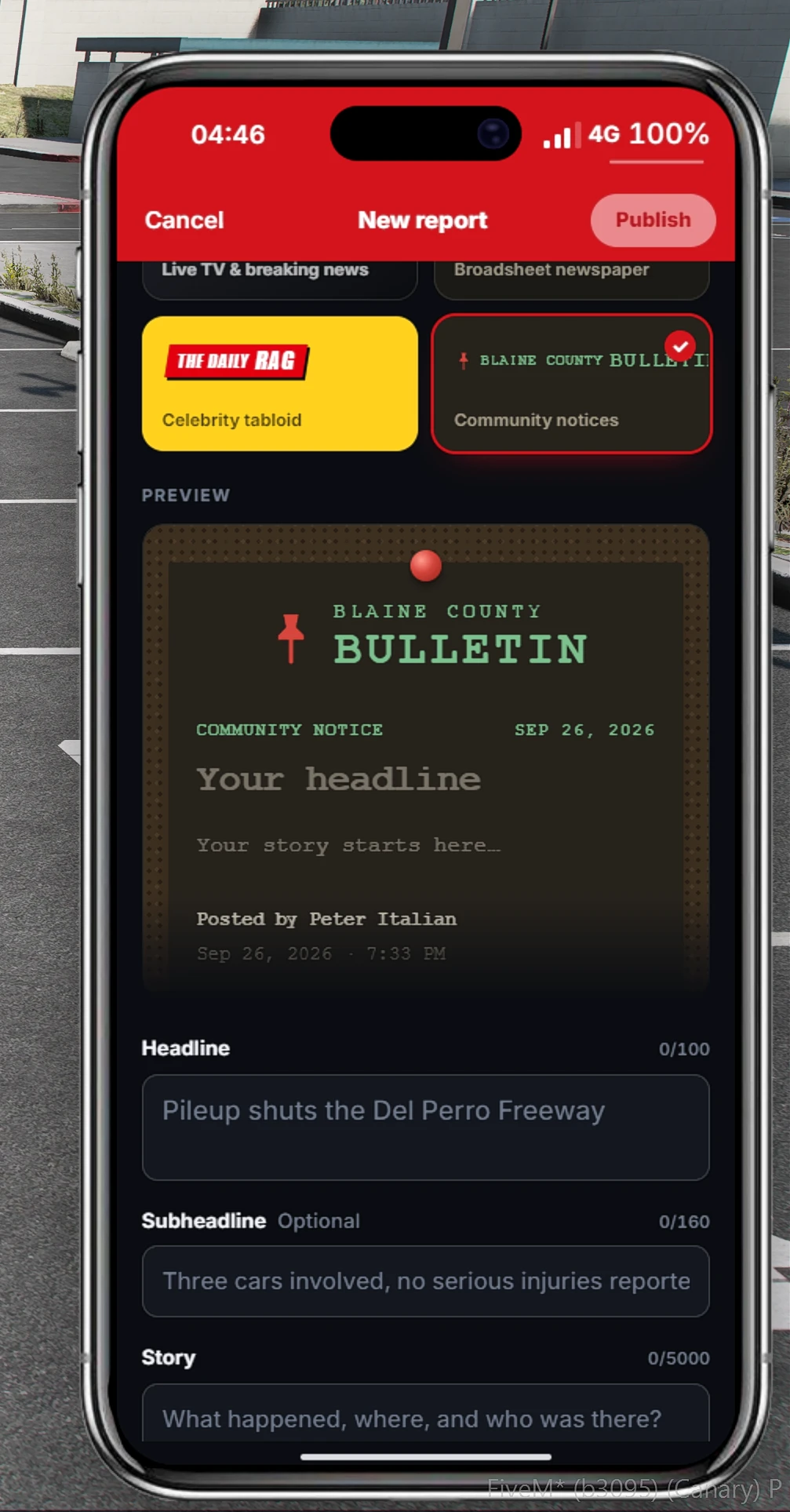
A look at the new news feed, article reader, and publishing tools. Different outlet styles give reports their own identity. This app is still being developed.
Wi-Fi, Focus, silent mode, appearance, brightness, volume, and app shortcuts are together in a redesigned quick-access panel.
Start a civilian construction shift, find dispatched Flock camera sites, set a GPS route, and follow the job's progress from your phone.
06 / Civilian work meets police investigation
Police place camera sites and dispatch construction from CAD. Civilians build them through six stages, bringing each camera online for vehicle sightings and investigations.
Police select a site and send it out for construction.
Construction workers prepare the site, install, wire, and calibrate it.
Search sightings and images, or trace a plate across the CAD Live Map.
High command can adjust detection zones. Active cameras can also be disabled by civilians, creating opportunities for criminal RP.
More for law enforcement
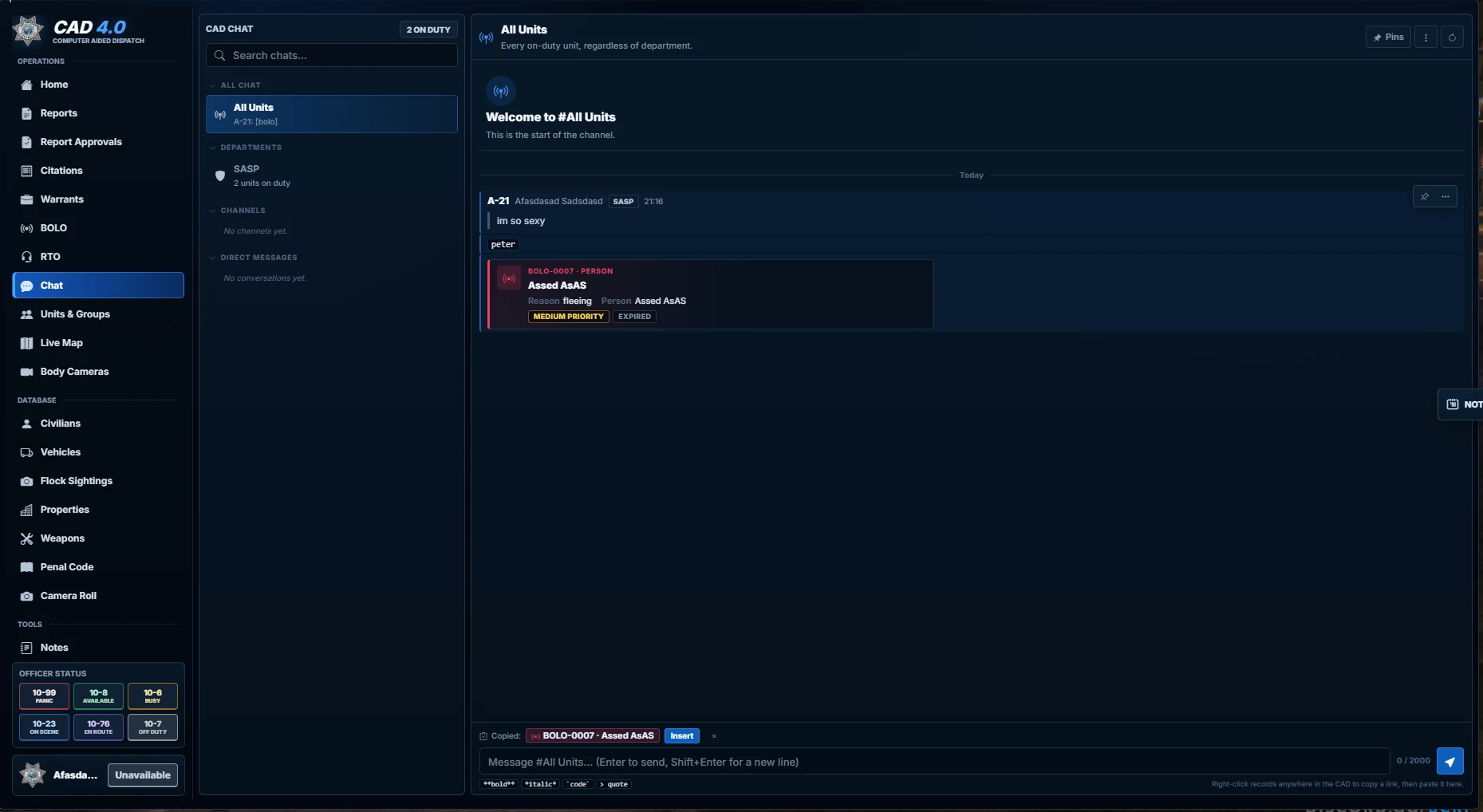
Use on-duty channels and direct messages, and share CAD records right in the conversation.
A new review workflow lets reviewers approve reports or return them for fixes with clear status and feedback.
Ballistic search, Flock map layers, nearby-unit information, RTO announcements, tone/timer controls, and a Signal 100 emergency tone.
07 / Everyday interactions
The new world interaction prompts put actions directly at the objects and vehicles around you. Choose how the prompts appear, then interact without digging through menus.
Carry bicycles and skateboards, push wheelchairs, and stow eligible mobility vehicles in a car trunk.
Use a notepad to write a message and place it in the world for someone else to find and read.
Usable blindfolds join the RP item lineup, and character selection now combines character previews with spawn location choice.
New melee weapons
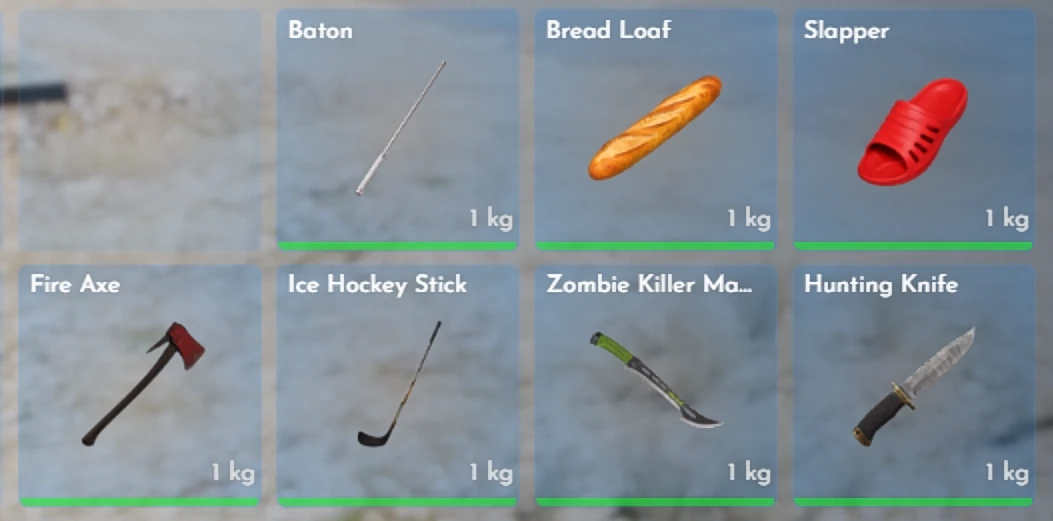
Hunting knives, fire axes, hockey sticks, batons, machetes, and novelty items such as a bread loaf, fish, or Slapper expand the melee lineup.